• Skip to primary navigation
  • Skip to main content
Core Information Technologies Ltd.

Core Information Technologies Ltd.

Managed IT Services

  • Home
  • Cyber Security
  • Services
    • Data Backup & Recovery
    • IT Support
    • Managed IT Services
  • About Us
  • Contact Us
  • Portals
    • Remote Support
    • Invoice Payment
    • Shared Files
    • KB Login
    • Core IT’s Blog
  • Show Search
Hide Search

Core IT Blog

You’ve been hijacked!

Joshua White · September 29, 2022 ·

You’ve been hijacked!

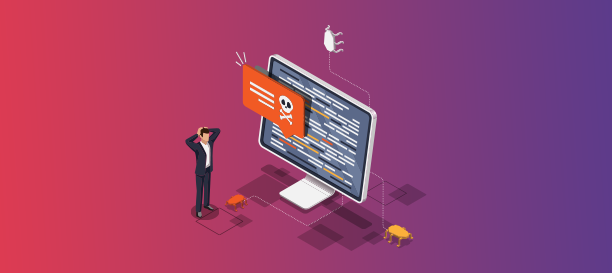
Has it ever happened to you that you opened the web browser on your PC and it looked a bit off? Then you perhaps did a Google search for something or tried to access your email only to have a dozen ads popping up or to be redirected to some other URL. Well, it means your web browser was hijacked. Browser hijacking is one of the most common cyber crimes out there today.

What is browser hijacking?

Browser hijacking is when a malware enters your system and takes control of your browser. It then makes changes to your browser settings and while it seems innocuous, the consequences can be serious. Your browser is the gateway to the internet. By hijacking your browser, the malware will be able to steal your data including private information, log-in credentials and more.

How does a browser hijacker gain access to your system?

Browser hijacking malwares can enter your system in various ways. Generally, they gain an entry when you click on a malicious link or accidentally download the malware onto your computer.

How to determine if your browser has been hijacked?

When your browser is hijacked, you will notice that most probably, your homepage setting would’ve changed. Your default search engine may have been changed too, and when you click on links, multiple, unrelated pages will open up. You will also notice that you are bombarded with pop-up ads and are barely able to navigate the web. You may also find new add-ons or toolbars installed on your browser automatically.

Safeguarding against Browser Hijacking

Installing a good anti-malware software program is one way to protect your browser from being hijacked. Firewalls can also help, as they will restrict access to suspicious sites. Apart from installing firewalls and anti-malware, you also need to follow basic cybersecurity best practices such as not opening suspicious emails, not downloading attachments without scanning them with the antivirus software on your computer, not installing any software program unless you are 100% sure of its authenticity and also, by being vigilant when it comes to links in emails or the web, in general. Remember, a simple browser hijacking seems more like a nuisance than a big threat to your data security, but it could turn out to be much more than that.
Your employee quit your organization Make sure your data hasn’t

Joshua White · September 22, 2022 ·

Your employee quit your organization. Make sure your data hasn’t

When someone new joins your organization, how do you manage their onboarding? Chances are, you already have processes in place for everything. The employee paperwork is taken care of by the HR, the on-floor assistance and other training is probably provided by a senior team member or the training and development team, and your IT team or MSP handles their IT/computer setup. But, what happens when they are leaving the organization. Is your off-boarding process just as meticulous?

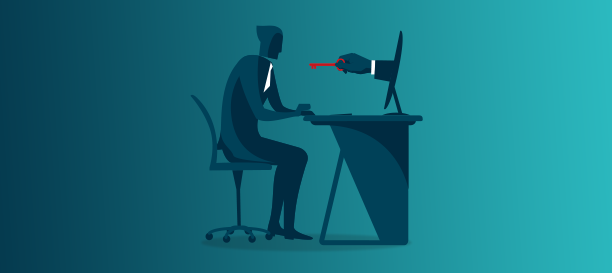
Businesses pay a lot of attention to data safety and security when employees are handling their data, but often overlook the same when it comes to outgoing employees. But, outgoing employees can be a threat to your organization’s data security.You never know when a disgruntled employee may actually go out of their way to intentionally harm your business by stealing (and later misusing or selling) or destroying your data. Even if an employee is parting ways with your company on good terms, and you trust them, there’s still a need to ensure your data security is not compromised at the time of their off-boarding. Some ways to do this are

  • Revoke access to any company accounts that the outgoing employee may have. This includes email addresses, applications and software used for work purposes, server, shared drives/folders etc. You can revoke access, restrict access to their user ID or delete their account.
  • Change any shared passwords
  • Inform vendors and other organizations that they have been dealing with on your company’s behalf, that they will no longer be working with you, so they shouldn’t be entertaining any requests for data or access, and also let them know of the person who will be taking over their role
  • Take charge of their computer and other devices and perform an audit to ensure there has been no unauthorized data sharing or transfer
  • Ensure they are not leaving the premises with any hardware such as pen drives that may contain sensitive information
  • Monitor your IT network for any unusual activity

You need to implement the above mentioned steps to ensure your data stays safe irrespective of who leaves your organization. While some may argue that it may seem like not trusting their own employees, it is essential. At the end of the day, when it comes to data security and safety, you can’t leave anything to chance, because the stakes are far too high. A single data leak or misuse may cost you a lot–not just in terms of penalties, lawsuit settlements and fines, but also your brand image and customers.

VPN 101: Remote access and safety

Joshua White · September 8, 2022 ·

VPN 101: Remote access and safety

As we know, the Coronavirus pandemic has brought about a paradigm shift in the way businesses function. Home is now, ‘The Office’. With WFH taking root, companies and employees alike are experiencing so many benefits that it looks like it is here to stay. This has given a boost to various technologies that enable businesses to operate smoothly in the WFH environment. Examples include video conferencing applications such as Zoom, Microsoft Teams, Google Meet, Cloud data storage options, VoIP, etc., In this blog, we discuss one such technology, Virtual Private Networks, more commonly known as VPN.

A VPN or virtual private network is a mechanism to connect to private IT networks using the internet. This gives you the ability to access private networks remotely, yet safely. Thus VPNs play a key role in the remote operations model. Using remote access VPN, employees can access their ‘work computers’ using the remote desktop mechanism. Plus, using VPNs to access data adds an additional layer of security. Here’s how-

  • VPNs don’t allow third parties to track the user’s IP, location from which they are accessing or their online activity
  • Unlike the regular browsers, VPNs don’t store browsing history, recent activity logs, log-in credentials, etc.,
  • If there is a glitch in the secure connection offered by the VPN, the connection is automatically cut instantly, instead of allowing the user to browse unsafely

VPNs need not be limited for work purposes alone. As you can see, considering the various benefits discussed above, it makes sense to use a VPN when online for personal purposes. Especially if you are using a public network such as the WiFi network at airports, malls, coffee shops, etc. Also, since home networks are less secure compared to business networks, it is a good idea to use VPN when performing activities that may involve financial transactions such as online banking, insurance renewals, or even when shopping online. (Your credit card details could be stolen as you are busy purchasing that pair of shoes on sale!)

A word of caution, though. There are many VPN services available in the market, and a lot of free ones too. While some are genuine, there have been cases where cyber criminals have masked a malware to seem like a VPN application and used it to steal sensitive information. So, make sure you do your research before downloading a ‘Free VPN’ application for personal use. If you are a business owner, then you should absolutely opt for a paid, trusted VPN service. Your MSP will be able to recommend one that’s right for you.

VPN 101: Remote access and safety

Joshua White · September 1, 2022 ·

VPN 101: Remote access and safety

As we know, the Coronavirus pandemic has brought about a paradigm shift in the way businesses function. Home is now, ‘The Office’. With WFH taking root, companies and employees alike are experiencing so many benefits that it looks like it is here to stay. This has given a boost to various technologies that enable businesses to operate smoothly in the WFH environment. Examples include video conferencing applications such as Zoom, Microsoft Teams, Google Meet, Cloud data storage options, VoIP, etc., In this blog, we discuss one such technology, Virtual Private Networks, more commonly known as VPN.

A VPN or virtual private network is a mechanism to connect to private IT networks using the internet. This gives you the ability to access private networks remotely, yet safely. Thus VPNs play a key role in the remote operations model. Using remote access VPN, employees can access their ‘work computers’ using the remote desktop mechanism. Plus, using VPNs to access data adds an additional layer of security. Here’s how-

  • VPNs don’t allow third parties to track the user’s IP, location from which they are accessing or their online activity
  • Unlike the regular browsers, VPNs don’t store browsing history, recent activity logs, log-in credentials, etc.,
  • If there is a glitch in the secure connection offered by the VPN, the connection is automatically cut instantly, instead of allowing the user to browse unsafely

VPNs need not be limited for work purposes alone. As you can see, considering the various benefits discussed above, it makes sense to use a VPN when online for personal purposes. Especially if you are using a public network such as the WiFi network at airports, malls, coffee shops, etc. Also, since home networks are less secure compared to business networks, it is a good idea to use VPN when performing activities that may involve financial transactions such as online banking, insurance renewals, or even when shopping online. (Your credit card details could be stolen as you are busy purchasing that pair of shoes on sale!)

A word of caution, though. There are many VPN services available in the market, and a lot of free ones too. While some are genuine, there have been cases where cyber criminals have masked a malware to seem like a VPN application and used it to steal sensitive information. So, make sure you do your research before downloading a ‘Free VPN’ application for personal use. If you are a business owner, then you should absolutely opt for a paid, trusted VPN service. Your MSP will be able to recommend one that’s right for you.

System and software updates: Why you shouldn’t be skipping them for later

Joshua White · August 25, 2022 ·

System & software updates: Why you shouldn’t be skipping them for later

We all know how annoying it can be when you get a pop-up asking if you’d like to update it or worse still, your system starts to update itself. The general tendency is to put it off until the next time you log onto your device, when you put it off again. We have all experienced it at some point or another, when we are on that important call or have to reply to an urgent email and decide a system update is just not worth the time. But, did you know that it is important to update your computer’s operating system in a timely manner? And that’s not just for your computer, the same applies to your mobile phones, iPads and other tablets too. In fact, there are updates for various software programs and apps that should be installed too.

System and application vendors such as Microsoft, Apple, Adobe, etc., release security updates and patches almost every month, and sometimes, several times during a month.

What are the benefits of installing these patches/system updates?

Safety and security of your data
Cybercriminals are constantly on the lookout to exploit any weakness that software programs may have, to gain entry into your IT network or system. Vendors, on the other hand, have teams that are constantly on the lookout for such weaknesses and work on developing security patches that plug these gaps, so your device/network remains safe and secure. Skipping system/software updates can make you vulnerable to cyber attacks and compromise on the safety and security of your data.

Ensures your device is working at its best
Apart from the security patches, there may also be bug-fixes and enhancements that may be released as a part of the software/system update. Not installing bug-fixes and enhancements means your device won’t be performing at its optimal level and may crash or slow things down. It may also result in compatibility issues when it comes to other programs or applications.

As a business it can be difficult to keep up with software updates, security patches and upgrades, and implement it across your entire organization. Having a service level agreement with an MSP will ensure that all your business devices are updated, patched and secure.

  • « Go to Previous Page
  • Page 1
  • Interim pages omitted …
  • Page 5
  • Page 6
  • Page 7
  • Page 8
  • Page 9
  • Page 10
  • Go to Next Page »

Core Information Technologies Ltd.

Copyright © 2026 · Core Information Technologies Ltd. · Log in